J.4 Create a link between EQ and Additional EQ (parent/children)
We speak of «Parent» and «Child» equipment when one additional equipment is located within/connected by cable to an equipment. A common example is the batterie (additionnal equipment) connected to his charger inverter (equipment) . In this example, the battery will be the «child» and the charger inverter will be the «parent»
- Go to Additional EQ in Fleet management module
- Open the Additional EQ you would like to connect to an EQ.
- Fill the parent EQ code (or his serial number or MSF number)
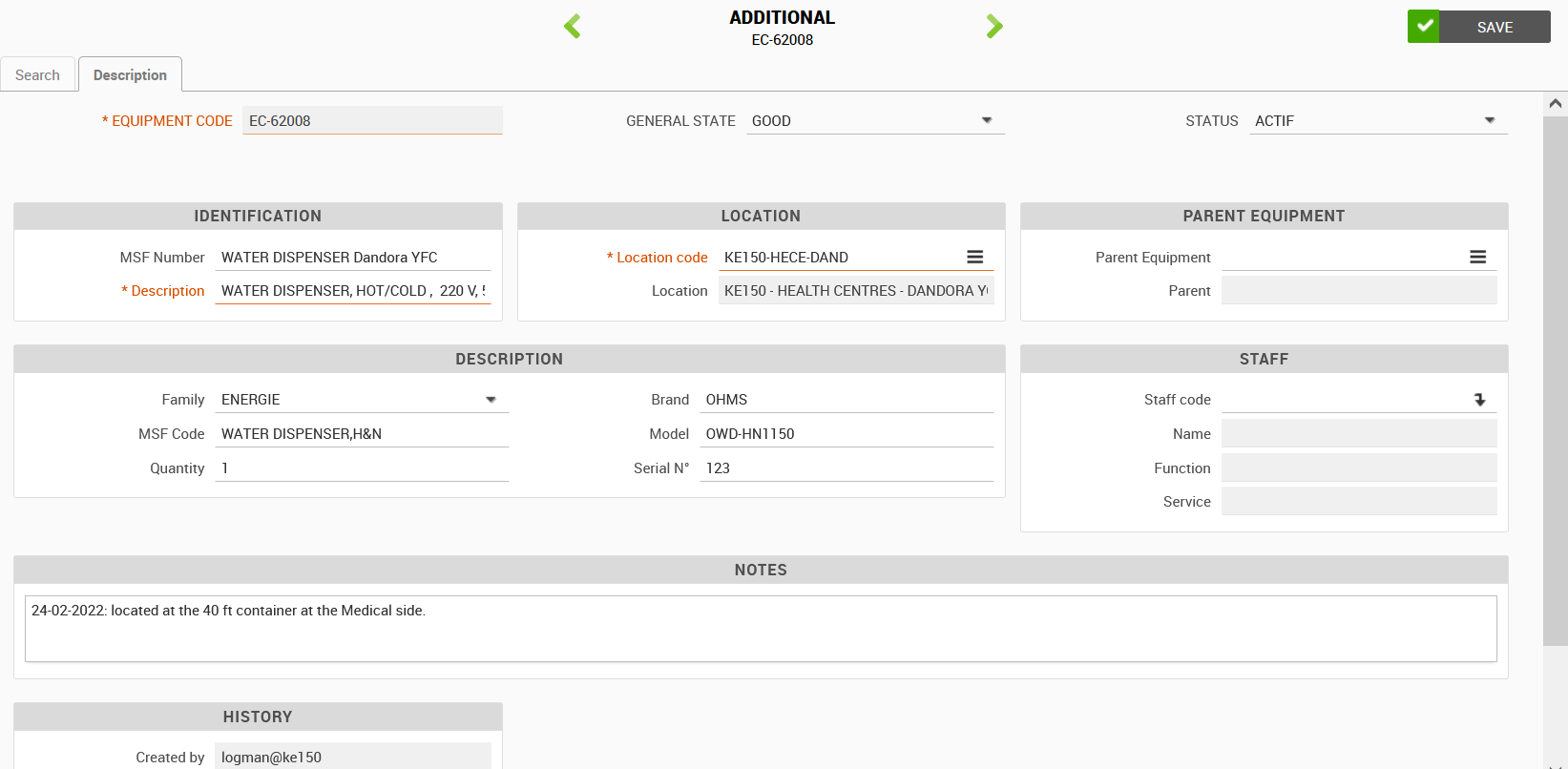
This additional equipment will appear in the page of the parent EQ.
Example below with a charger inverter equipment page, where we can see the batteries created as additional EQ.

Note : You can't create a link parent/child EQ between 2 additional EQ. There isn't limit of number of children attached to one parent EQ